
|
|||||||

|
|||||||
|
|||||||

|
|||||||
Configuring Microsoft Outlook 2000
1. Start Outlook.
2. Click on the Tools menu.
3. Select Accounts from the drop-down menu.
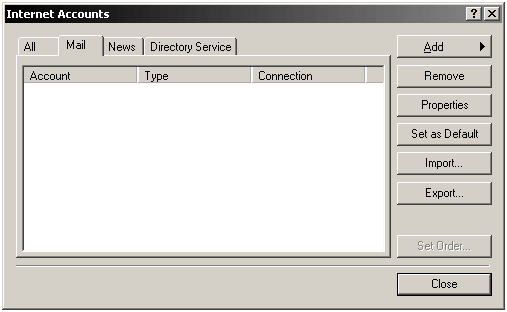
4. Click on the Mail tab.
5. Click on the Add button, then click on Mail.
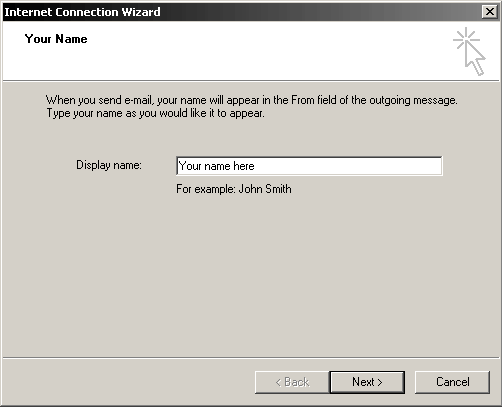
6. The Internet Connection Wizard will begin. Enter your name as you
would like it to appear. Click Next
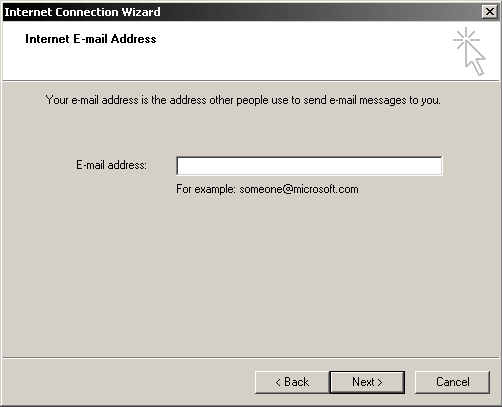
7. Enter your E-mail Address. (ex. admin@yourdomain.com) Click Next
Next Page
Copyright © 1995- Sidetrips™ Internet Services, Inc. All rights reserved.
Reproduction in whole or in part in any form or medium without express
written permission of Sidetrips Internet Services, Inc. is prohibited.
sidetrips.com™, hostserver.com™, registera.com™, htmlshop.com™,
and associated domains are trademarks of Sidetrips™ Internet Service, Inc.
Privacy Policy | Acceptable Use Policy | Terms of Service
